
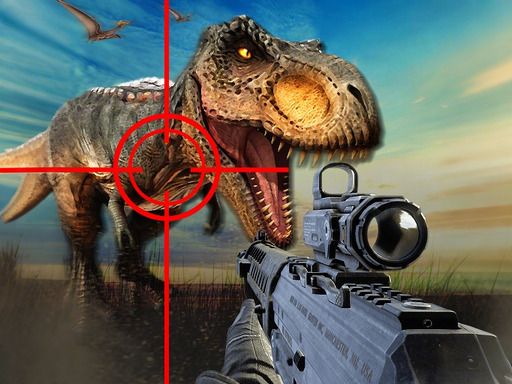
Dino Hunter King cover art

Action

Dino Hunter King

Track and hunt powerful dinosaurs in first-person across open prehistoric grasslands.

MediumBrowser · no downloadFirst-person shooting with precision aiming mechanicsSpecial tool system including infrared scanning and time-freeze abilities

Game overview

Dino Hunter King places you in a vast prehistoric landscape as a first-person hunter tracking powerful dinosaurs. Arm yourself with a rifle, use infrared goggles to reveal weak points, and freeze time for perfect shots. Complete missions to earn coins and expand your arsenal.

Best suited to fPS enthusiasts who enjoy hunting games with prehistoric themes and precision shooting.

How to play Dino Hunter King

  1. Enter the prehistoric hunting grounds and select your mission objective.
  2. Explore the open grassland environment to locate roaming dinosaurs.
  3. Use infrared goggles to scan for weak points on the dinosaurs.
  4. Activate Eagle Eye to slow time and line up precise headshots.
  5. Complete missions to earn coins for unlocking new and more powerful guns.

Controls

WASD keys
Move through the hunting terrain
Mouse
Aim the rifle at dinosaurs
Left click
Fire the weapon
Q key
Toggle infrared goggles to reveal weak points

Objectives and failure conditions

Objectives

  • Track and eliminate designated dinosaurs across the hunting grounds
  • Use special tools like infrared goggles for precision shots
  • Complete missions to earn coins for weapon upgrades
  • Unlock more powerful firearms to tackle increasingly dangerous dinosaurs

The run ends when

  • Failing to eliminate the target dinosaur within the time limit
  • Being attacked and overwhelmed by aggressive dinosaurs

Gameplay mechanics

  • First-person shooting with precision aiming mechanics
  • Special tool system including infrared scanning and time-freeze abilities
  • Open-world exploration across prehistoric terrain
  • Mission-based progression with weapon unlock economy

Device compatibility

Desktop

Supported

Playable in current desktop web browsers.
Mobile

Supported

Playable on current mobile browsers with touch controls.

Tablet

Supported

Playable on current tablet browsers with touch controls.

Tips for Dino Hunter King

  • Use infrared goggles before engaging to identify the most effective shot placement
  • Save Eagle Eye for critical moments when a dinosaur is about to attack
  • Explore the full map area since dinosaurs roam across different terrain sections

What worked and what did not

Pros

  • Immersive prehistoric setting with detailed dinosaur models and environments
  • Special tools add strategic depth beyond simple shooting mechanics
  • Weapon progression gives a clear sense of advancement through missions

Cons

  • Open areas may feel sparse when searching for specific targets
  • Limited dinosaur variety in early missions

Player comments

No published comments yet. Be the first.